
If your ad dashboard says 40 sales but your store shipped 58, the gap isn't random. It's often due to privacy changes following iOS 14 and the decline of third-party cookies, causing browsers to drop signals before Meta ever sees them.
For Thailand e-commerce teams, that gap gets expensive fast because Meta keeps leaning harder on AI-driven optimization in 2026. The meta pixel serves as the baseline browser-based tool, while a clean meta conversion api setup gives Meta steadier purchase signals, better matching, and a truer view of what your campaigns are doing. Start with the meta conversion api setup model, then map the events with care.
The Meta Pixel still matters, but it lives in the browser, leaving it vulnerable to ad blockers, iOS limits, slow pages, and broken scripts. With growing data privacy concerns and the shift to cookieless tracking, these client-side limitations punch holes in your data. Server-side tracking through the Meta Conversion API sends key events from your server or commerce platform, bypassing browser issues so Meta does not rely only on the browser.
For Thai brands, the Meta Conversion API matters because buying paths are rarely neat. A shopper may tap an Instagram ad on mobile, compare prices later, then buy after payday. The Meta Pixel alone can miss parts of that story. As of March 2026, Meta's systems are also leaning harder on full customer-journey signals, so weak event data can slow learning.
For a clear breakdown of where browser gaps come from, see this e-commerce CAPI guide. If you need local help tying measurement to creative and media buying, a Thailand social media and e-commerce agency can connect both sides.
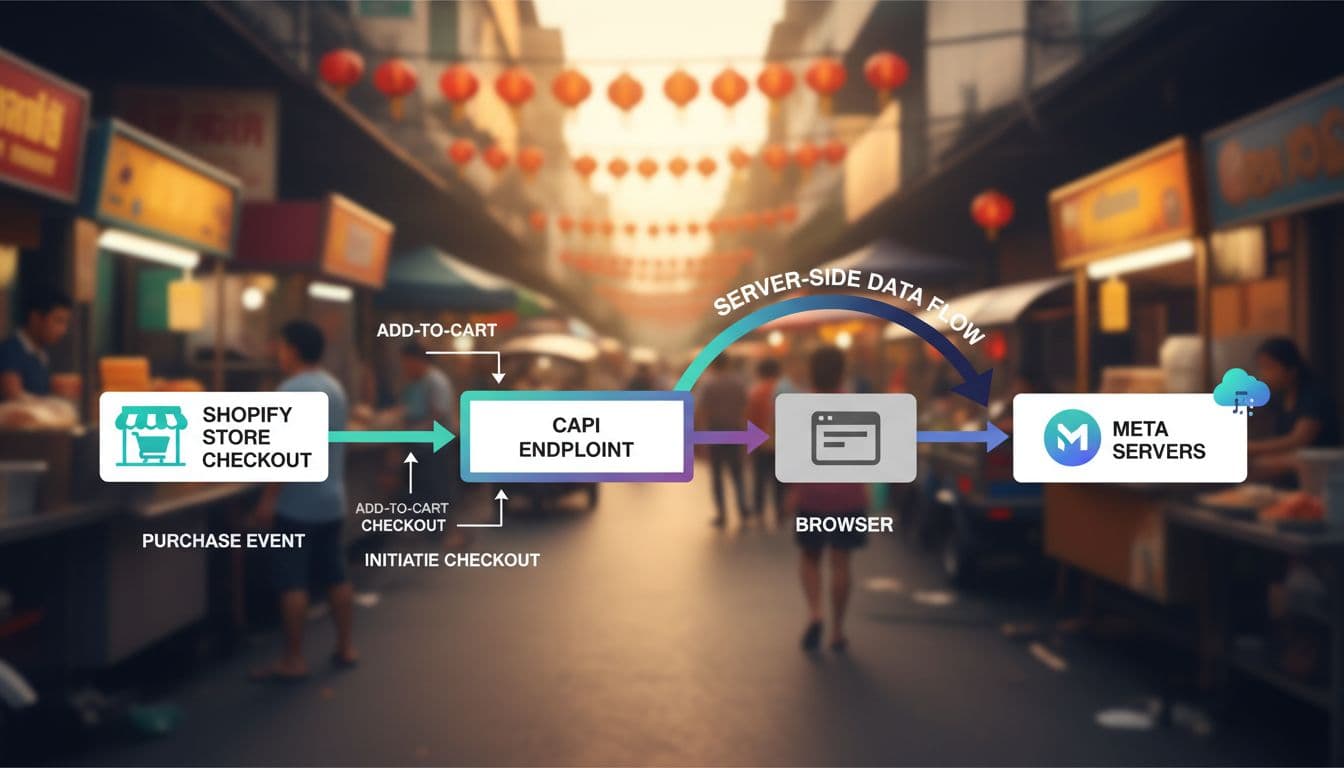
Before you touch events, ensure your Business Manager account is set up correctly and dataset permissions are properly managed. Then pick the setup style that matches your store and team.
MethodComplexityControlBest fitNative app or pluginLowMediumShopify, WooCommerceMeta CAPI gatewayLowHighShopify, WooCommerceServer Google Tag ManagerMediumHighGrowing brands with dev supportDirect API or custom serverHighHighestMagento, headless, custom stores
Shopify teams usually start with the native Meta sales-channel setup, Meta CAPI gateway, or a trusted app. WooCommerce brands often use a plugin, then tighten the details. Magento and custom stores usually need either server Google Tag Manager or direct API work because the checkout flow is less standard.
The trade-off is simple. Native setups are fast, but you may get less control over fields, consent logic, and custom events. A server Google Tag Manager container gives cleaner governance. Direct API work gives the most freedom, but it also creates more room for small mistakes that quietly ruin reporting.
If you're on Shopify, this walkthrough of Shopify Meta Conversion API setup options is a useful reference for implementing the Meta Conversion API in your Business Manager. For WordPress stores, this WooCommerce Pixel and CAPI guide helps you check the basics before moving into custom fixes for the Meta Conversion API.
Most Thailand e-commerce brands should focus on these five standard events first. Anything extra can wait until the core tracking is stable.
These standard events form the foundation. Every event should also carry event_time, action_source set to website, event_source_url, and event_id. Then comes the big rule, event deduplication. When both the Meta pixel and Meta conversion API send the same Purchase, they must share the same event_id and event_name for proper event deduplication. Keep the timestamps close as well. If the browser sends one ID via the Meta pixel and the server sends another via the Meta conversion API, Meta can't tell they're the same action, so you risk double-counting.
One sale should create one event_id, not one per page, and not one per session.
First-party data matters too. Send normalized customer data that you collect yourself, such as email, phone, external ID, client IP, and user agent, but only where your consent setup allows it. Clean the values before sending hashed data. A phone with spaces, missing country code, or mixed formats can drag matching down fast. For brands tracking a long lead stage or using conversion leads for chat-based commerce, advanced steps like CRM integration and offline conversions can help capture the full picture via the Meta conversion API.
In Events Manager, Meta shows the event quality match score, or EMQ, on a 1 to 10 scale. A healthier score, often 6 or higher, usually means Meta can match more events to real people. If EMQ is weak, look first at missing email, phone, external ID, or messy formatting.
A setup isn't finished when the tag fires. It's finished when Meta's aggregated event measurement shows the right event, the right value, and the right source.

Use Test Events in Events Manager first, then open Diagnostics in Events Manager and the event details view. During the first week, check daily. After that, a weekly review is usually enough. Watch for deduplicated Purchase events, correct currency, stable AddToCart volume, and EMQ trends after live traffic builds.
A short troubleshooting check catches the common misses fast:
Store stack matters here. Shopify can double-fire when multiple apps inject Meta scripts. WooCommerce can miss checkout events if the theme or page builder skips normal hooks. Magento queues may delay server calls. Custom stores often break on tiny things, like wrong field names or sending Lead without proper page context (ensure GDPR compliance for server-side data handling).
For a broader QA process across platforms, this e-commerce conversion tracking setup guide is worth bookmarking.
Clean tracking won't fix weak offers or tired creative. Still, it stops you from steering with a fogged windshield.
Get the five core events right, pass the same event_id to Meta Pixel and Meta Conversion API, and keep first-party data tidy. Then Meta has a much fairer shot at ad targeting buyers in Thailand, helping you reach your performance goal and lower cost per action, and your team has reporting it can trust.
Audit those events before your next spend increase. Good data is cheaper than wasted budget.


